GripperGUI User Interface
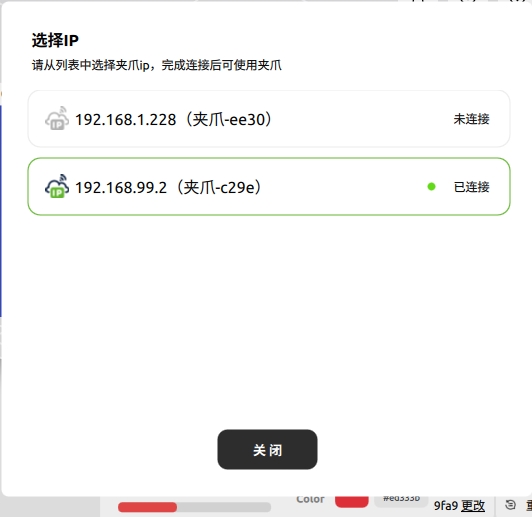
Select a gripper
The Change list displays grippers visible on the LAN. Online means connectable, offline means disconnected, and error indicates a configuration failure. Rescan after reconnecting hardware.
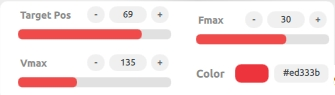
Control panel
- Target position: 0–85 mm, where 0 is closed and 85 is open.
- Maximum velocity: limits motion speed.
- Maximum force: limits contact force.
- Status LED: sets the RGB color.
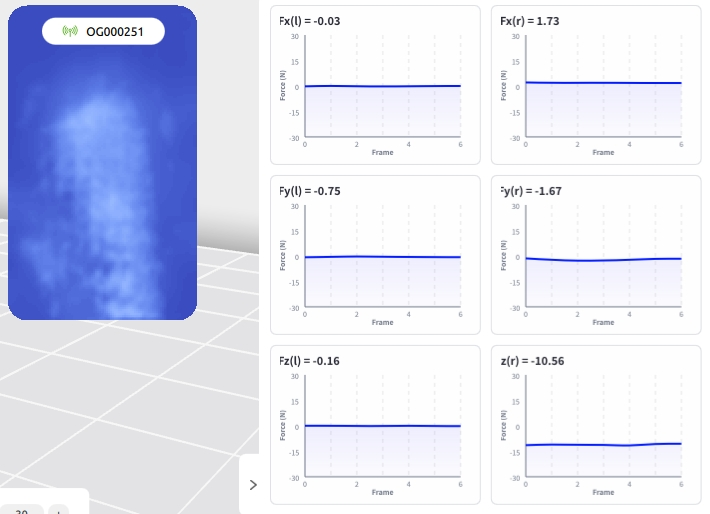
The tactile panel shows contact images and multidimensional force data. Calibrate only when the sensor has no contact.
Toolbar
Use Settings to switch the theme and language, Help to open the documentation, About to view version information, and Minimize/Maximize/Exit to control the window.